
hier ein kurzes Beispiel wie man Excel-VBA mit Application.OnTime dazu bringt ein Makro bzw. eine SUB zyklisch auszuführen.
Im Beispielprogramm hab ich zwei Buttons und ein Textfeld eingebaut.
Nach dem Start wird jede Sekunde die aktuelle Uhrzeit in das Textfeld eingetragen.
Hier kann z.B. auch mit dem I2C-Modem eine Temperatur gelesen und weiterverarbeitet werden.
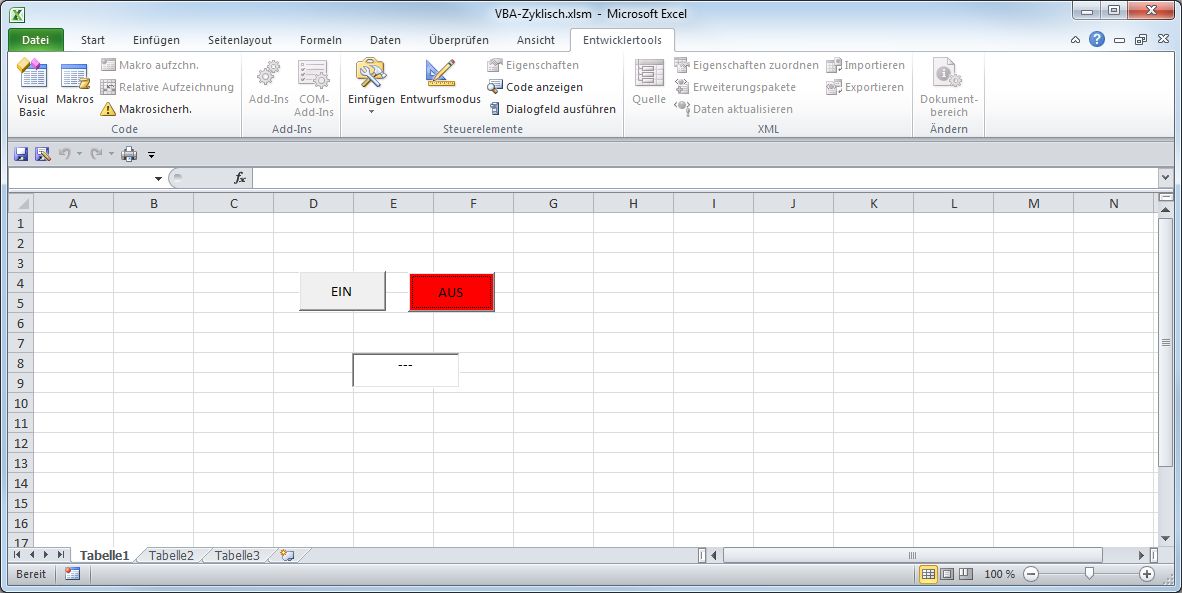
EXCEL-Makro zyklisch aufrufen
Option Explicit
Dim S As Boolean
Private Sub Zyklisch()
    If S = True Then
        'aktuelle Zeit im Textfeld anzeigen
        Label1.Caption = Format(Now, "hh:nn:ss")

        'nächster Aufruf in 1 Sekunde wenn S=TRUE
        Application.OnTime Now + TimeValue("00:00:01"), "Tabelle1.Zyklisch"
    Else
        'Textfeld löschen
        Label1.Caption = "---"
    End If
End Sub

Private Sub CommandButton_AUS_Click()
    CommandButton_AUS.BackColor = vbRed
    CommandButton_EIN.BackColor = &H8000000F
    S = False
End Sub

Private Sub CommandButton_EIN_Click()
    CommandButton_EIN.BackColor = vbGreen
    CommandButton_AUS.BackColor = &H8000000F
    S = True
    Label1.Caption = "START"
    Call Zyklisch
End Sub
Excel-Makro zum Download: VBA-Zyklisch.zip